



Compatible emulators
>📂 Location: /userdata/bios
Source: Batocera batocera-systems + wiki (systems:o2em). Place these files under /userdata/bios (paths are relative to /userdata).
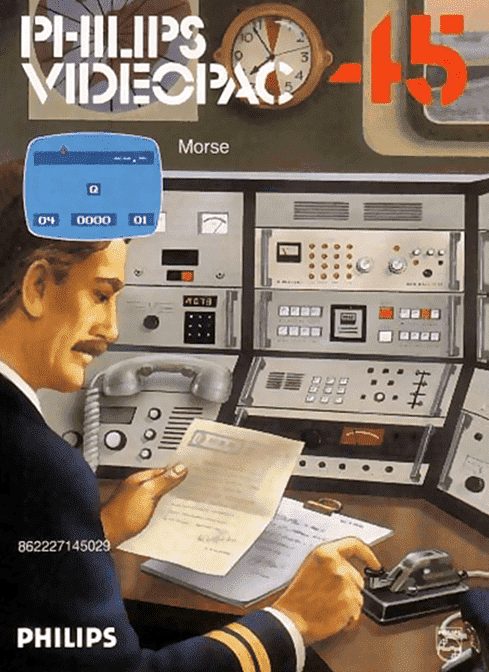
Morse
Synopsis
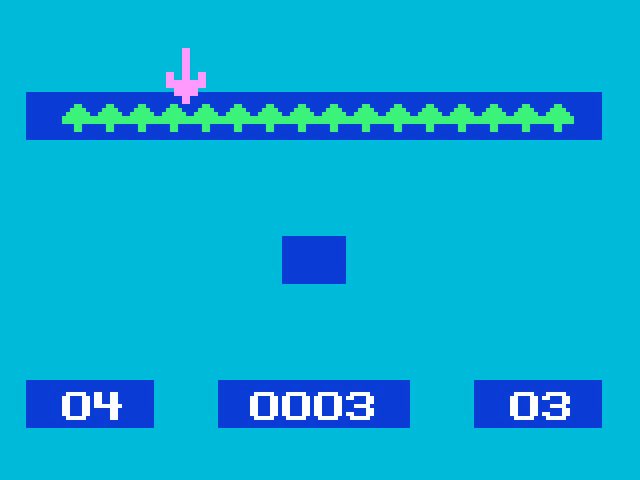
Morse teaches code to players. There are 4 types of games that can be selected in a menu screen: The first type is a Morse code learning game. The player selects the game speed (4 to 30 words per minute) and level (1 to every 36 available characters). The computer will play the Morse signal for the first symbol (Q) and the player must type the symbol. After learning two signals, the game begins properly by introducing a row of trees at the top of the screen. An arrow is also shown near the 4th tree from the left and a man on the right side. For every 10 symbols correctly answered, the man cuts down a tree. When it reaches the arrow, a new symbol is introduced and the process begins again. The symbol sequence is: Q, 7, Z, G, 0, 9, 8, O, 1, J, P, W, L, R, A, M, 6, B, X, D, Y, C, K, N, 2, 3, F, U, 4, 5, V, H, S, I, T and E.
2. The second type allows the player to type individual symbols and listen to their respective codes.
3. The third type is similar to the second, but in this one the player types a sequence of symbols and then presses "Enter" to ask the computer to play the corresponding code.
4. In the fourth type, the player uses the "action" button on the controller to enter codes and the computer reads them and shows the corresponding symbol entered.
Developer
Philips Interactive Media
Publisher
Philips Interactive Media
Players
1
Taille
1.84 KB
Format
ZIP
Available versions
Download your preferred version below
 FR
FR
 EU
EU

No comments yet. Be the first to comment!