




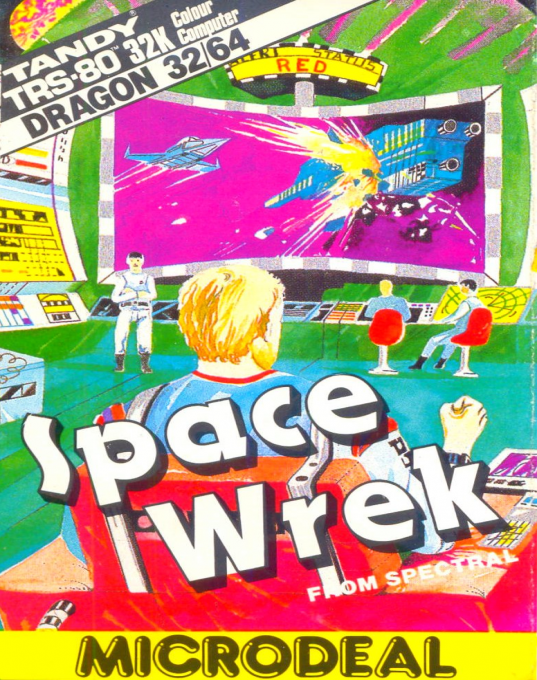
Space Wrek
Synopsis
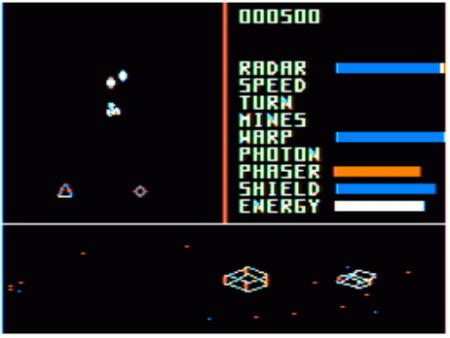
The game was designed to "talk" when used with Radio Shack's speech-to-sound cartridge. If you have a cassette version of the game, simply turn off the computer, unplug everything from the Rom Pak expansion port and insert the Speech sound cartridge into that same slot, then simply load and play the game. To start the game, press the Fire button on the right stick. This can be done at any time when a game is not in progress. During gameplay, the lower portion of the screen displays a view of the alien ships and your bases, as if you were looking out the front of your ship. The upper left section of the screen shows a radar of alien ships and your bases in the area. Your ship is always in the center of the radar. The upper right section of the screen displays your score at the top and the status of your ship's systems below. The right stick controls the movement of your shuttle. Moving the joystick right or left turns your shuttle in that direction. Moving the joystick forward makes the shuttle move in the direction it is facing. The speed of your turn and forward movement is determined by how far you move the joystick and the state of the speed and turn systems on your shuttle.
Developer
Steve Gieseking
Publisher
Microdeal
Players
1
Taille
26.22 KB
Available versions
Download your preferred version below




No comments yet. Be the first to comment!