





Compatible emulators
>📂 Location: /userdata/bios
Source: Batocera batocera-systems + wiki (systems:electron). Place these files under /userdata/bios (paths are relative to /userdata).
Us Drag Racing
Synopsis
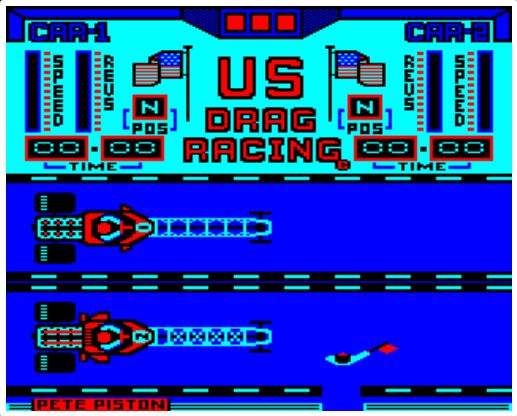
The Race Marshall will walk the track and mark the "All Clear" at the start of each three-run heat. The cars will then be pushed into position on the Grid. After a short delay, the message "Start your engines" appears. Rev your engine until the desired engine speed is reached. After a few seconds, the three pit indicators at the top of the screen will change from yellow to green.
You can now select a speed. Hold the SPACEBAR until the gear position (POS) indication changes (N = neutral, S = stall). Rebuild your revs before selecting the next gear. If your revs drop too much, you will stall your engine. You will see your Distance to Go indicator (and your opponent) go from 0.25 miles to zero. At the end of the three rounds, your best time and your opponent's time will be displayed. If your time is faster, you will meet the next driver and his more powerful drag car.
Your car's parachute will automatically eject at the end of each quarter-mile run.
Developer
Kevin Blake & Jason Sobell
Publisher
Tynesoft Computer Software
Players
1
Taille
11.37 KB
Format
UEF
Available versions
Download your preferred version below






No comments yet. Be the first to comment!