




Compatible emulators
>📂 Location: /userdata/bios
Source: Batocera batocera-systems + wiki (systems:bbc). Place these files under /userdata/bios (paths are relative to /userdata).
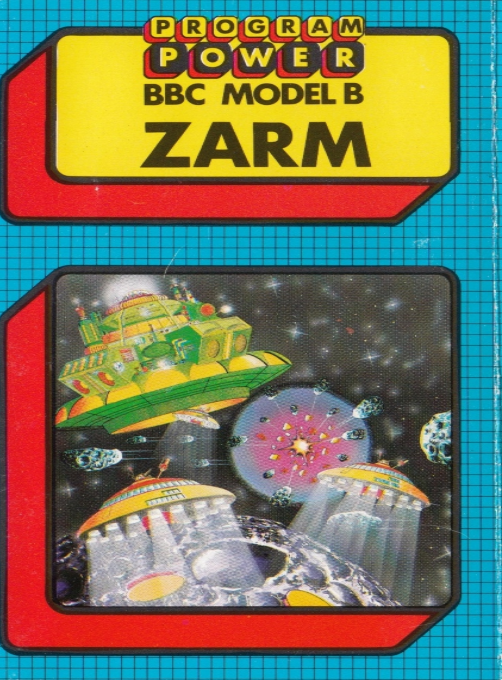
Zarm
Synopsis
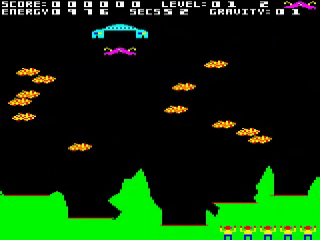
When the game begins, your ship is located inside the mothership, which slides from one side of the screen to the other above the orbiting asteroids. When you can see a gap, press the 'Release' key to open the airlock to release your craft and begin your descent to the planet below. Weave left to right to dodge rocks, pressing the “Push” button to slow your descent. Land gently at one of five landing sites to collect a stranded astronaut. Press “Release” to launch from the pad and use the “Thrust” key to keep the rocket jets burning. Dodge the planet's automatic defenses and approach the mothership which will stop when you reach a certain altitude. As you line up underneath, the airlock will open allowing you to redock. Bonus points are earned for rescue speed and also the amount of energy consumed. Both are shown at the top of the screen. The “Release” key also makes you invisible during a flight, but you continue to move in the direction you are traveling. This feature should be used carefully as it consumes a lot of fuel, thus reducing your bonus. You can only use each airstrip once, and there are different hazards to negotiate on each return trip. When all the scouts have been saved, you return to level one but with higher severity.
Developer
D. Tolchard & J. Siddle
Publisher
Micro Power
Players
1
Taille
19 KB
Format
SSD
Available versions
Download your preferred version below
 Europe




No comments yet. Be the first to comment!