





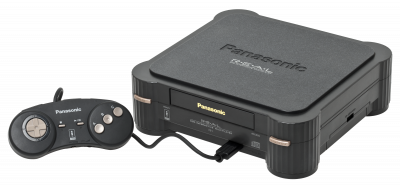
Alternative 3DO emulator. It covers the following system: 3DO.
1. Installation
- Grab the latest version from the project's official website.
- Extract the archive into a dedicated folder.
- Launch it once: it will create its configuration and subfolders.
2. System files
This emulator relies on files extracted from the original hardware. Dump them from hardware you actually own.
Files expected according to our listing:
panafz10.bin
Indicated location: bios/
Phoenix alternative
3. Supported formats
.iso .cue .chd
.chd is lossless compression: a single, noticeably lighter file per game.
4. Good to know
- Set up your controller on the first launch — it's the biggest time-saver.
- Save states let you pick up right where you left off, on top of the game's own saves.
5. Not working?
- Won't start or black screen → a system file is missing, misnamed, or not in the expected location.
- File rejected → its checksum doesn't match the expected one; the dump is probably incomplete or comes from a different model.
- The game doesn't show up → check that its file extension is among the formats listed above.
- Crashes on launch → relaunch it from a folder the emulator has write permission to.