





All guides
Fuse
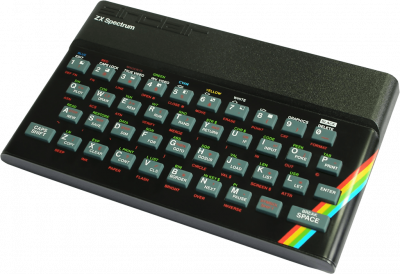
ZX Spectrum Emulator (48K/128K/+2/+3). Precise and multiplatform, cassette support, virtual floppy disk and snapshots.
Download the emulatorIn this guide
ZX Spectrum emulator (48K/128K/+2/+3). Accurate and cross-platform, with support for tape, virtual disk, and snapshots. It covers the following system: ZXSpectrum.
1. Installation
- Grab the latest version from the project's official website.
- Extract the archive into a dedicated folder.
- Launch it once: it will create its configuration and subfolders.
2. Supported formats
.tap .tzx .z80 .rzx .scl .trd
3. Good to know
- These machines often boot to a command prompt: you launch the game with a command, not from a menu.
- Emulation speed matters: too fast and the software becomes unplayable. Look for the speed or cycle setting.
- The keyboard is the main input device; the emulated layout may differ from your own.
4. Not working?
- The game doesn't show up → check that its file extension is among the formats listed above.
- The software runs too fast or too slow → adjust the emulation speed before anything else.