




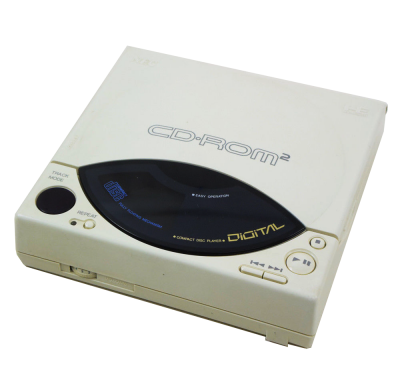
PC Engine emulator via Mednafen. It covers the following systems: PC Engine SuperGrafx, PCECD, PCEngine, PCEngineCD.
1. Installation
- Get the latest version from the project's official website.
- Extract the archive into a dedicated folder.
- Launch it once: it creates its configuration and subfolders.
2. System files
This emulator relies on files taken from the original machine. Extract them from hardware you own.
Files expected according to our listing:
syscard3.pce
Indicated location: bios/
System Card 3.0 for CD
3. Accepted formats
.pce .sgx .cue .ccd .chd
.chd is lossless compression: a single file per game, noticeably lighter.
4. Good to know
- These machines often boot to a command prompt: the game is launched via a command, not a menu.
- Emulation speed matters: too fast, and the software becomes unplayable. Look for the speed or cycles setting.
- The keyboard is the main input device; the emulated layout may differ from yours.
- A setting that works for one machine won't necessarily work for others: adjust case by case.
5. Not working?
- Refuses to start or black screen → a system file is missing, misnamed, or not in the expected location.
- File rejected → its checksum doesn't match the expected one; the dump is probably incomplete or from a different model.
- The game doesn't show up → check that its extension is one of the formats listed above.
- The software runs too fast or too slow → adjust the emulation speed before anything else.