




Obentou v0.1.9
Obentou is a multi-system emulator written in C, designed to group into a single program all the emulators developed by its author over the years.
The project is open ⁇ source and distributed under GPL ⁇ 3.0.
Currently supported systems:
Space Invaders Arcade
- Pacman core
- Chip-8
- Bytepusher ⁇ 1 opcode fantasy machine
Coleco Vision
- GBC ⁇ Game Boy / Game Boy Color / Mega Duck
NES ⁇ Nintendo Entertainment System
- PCE ⁇ PC ⁇ Engine
- PV1000 ⁇ Casio PV ⁇ 1000
- TMS80 ⁇ TMS9918 + Z80 systems (SMS / Game Gear / SG ⁇ 1000 / SC ⁇ 3000)
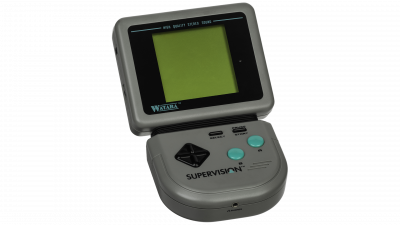
- WATARA
In this guide
Obentou is a multi-system emulator written in C, designed to bring together in a single program all the emulators developed by its author over the years. The project is open-source and distributed under the GPL-3.0 license. Currently supported systems: - Space Invaders Arcade - Pacman core - Chip-8 - Bytepusher — a 1-opcode fantasy machine - ColecoVision - GBC — Game Boy / Game Boy Color / Mega Duck - NES — Nintendo Entertainment System - PCE — PC Engine - PV1000 — Casio PV-1000 - TMS80 — TMS9918 + Z80 systems (SMS / Game Gear / SG-1000 / SC-3000) - WATARA. It covers the machine: Watara Supervision.
1. Installation
- In RetroArch: Load Core → Download a Core.
- Look for Obentou v0.1.9 in the list and install it.
- Go back to the main menu, then Load Content to open your game.
2. Supported formats
.sv .zip .7z
.zip archives load directly, without prior extraction.
3. Good to know
- Settings are found in Quick Menu → Options, once the game is loaded.
- Remember to Save Core Options to keep them between sessions.
- Controllers are set up once in Settings → Input, for all cores.
4. Not working?
- Game doesn't show up → check that its extension is among the formats listed above.
- Core doesn't load → update RetroArch, then reinstall it.