




Play!
Émulateur PlayStation 2 libre, sans BIOS à fournir, qui lance aussi les bornes d'arcade Namco System 246/256.
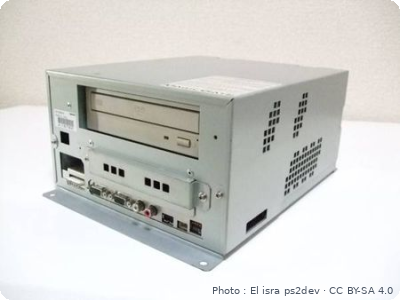
Download the emulatorPlay! is a free, open-source PlayStation 2 emulator. Two strengths: no BIOS to provide (it emulates the PS2's own) and support for Namco System 246 / 256 arcade boards, which are built on PS2 hardware (Tekken 4, Soul Calibur II, Time Crisis 3…).
1. Installation
- Download the version for your system from the official website: Windows, macOS, Linux, Android or iOS.
- Launch it once: it creates its data folder,
Play Data Files(in Documents on Windows).
2. PlayStation 2 games
Open a game with File → Boot Disc Image..., or add a whole folder with Add Games... in the game list. Supported formats: .iso .chd .cso .isz .cue .mds, plus .elf for homebrew.
3. Namco System 246 / 256 arcade games
An arcade game is made of two inseparable parts: a .zip named after the game's MAME name, and a folder with the same name holding the game disc as a .chd. Example with Tekken 4:
Play Data Files/arcaderoms/tekken4.zipPlay Data Files/arcaderoms/tekken4/tef1dvd0.chd
- Create an
arcaderomsfolder insidePlay Data Files. - Copy the
.zipand the CHD folder into it, keeping the names unchanged. - In the game list, tick the Arcade filter: the boards Play! recognizes show up there. Double-click yours.
The .zip alone is not enough: without its CHD, the game won't start.
4. Arcade controls
- Coin / Service: SELECT button.
- Test menu: L3 + R3 together.
- Light-gun games: trigger on CIRCLE, pedal on TRIANGLE.
5. Not working?
- "Failed to open CHD file" → the CHD is misplaced or misnamed, or it wasn't created with
chdman createcd/createdvd. - The game isn't in the list → Play! doesn't recognize this board yet: not every game is supported.
- Game is slow → these boards need a powerful machine. Keep the native resolution and try the other renderer (OpenGL or Vulkan).