




All guides
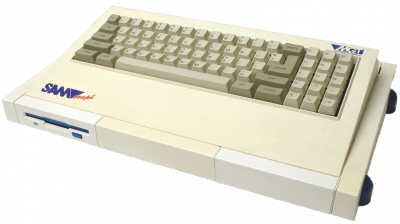
SimCoupe
Émulateur SAM Coupé (MGT, 1989). Compatible ZX Spectrum, résolution 256x192 en 16 couleurs, ROM système requise.
Download the emulatorIn this guide
SAM Coupé emulator (MGT, 1989). ZX Spectrum compatible, 256x192 resolution in 16 colors, system ROM required. It covers the machine: SAM Coupé.
1. Installation
- Download the latest version from the project's official website.
- Extract the archive into a dedicated folder.
- Launch it once: it will create its configuration and subfolders.
2. Supported formats
.dsk .sbt .zip
ZIP archives load directly, without prior extraction.
3. Good to know
- These machines often boot to a command prompt: the game is launched with a command, not a menu.
- Emulation speed matters: too fast and the software becomes unplayable. Look for the speed or cycles setting.
- The keyboard is the main input device; the emulated layout may differ from yours.
4. Not working?
- Game doesn't appear → check that its extension is among the formats listed above.
- Software runs too fast or too slow → adjust the emulation speed before anything else.