




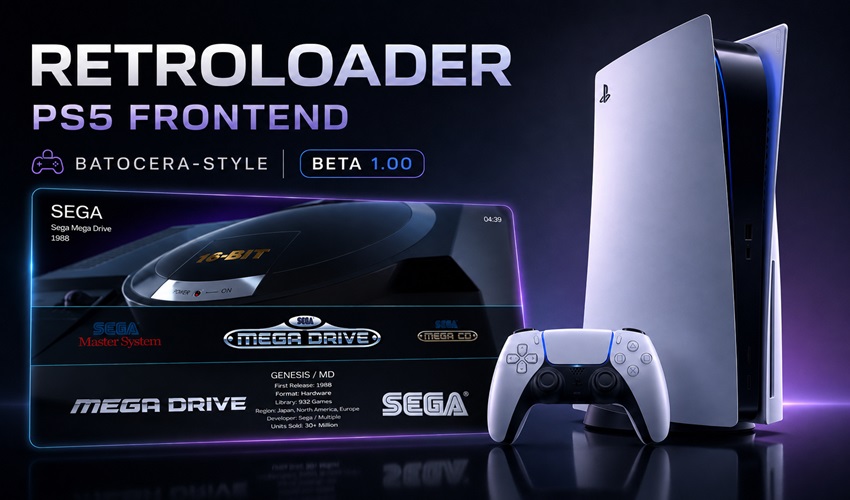
RetroLoader: A Batocera-Style Frontend to Turn Your Jailbroken PS5 Into a Retro Arcade Cabinet
Following the arrival of RetroArch running natively on jailbroken PS5 earlier this year, the console's homebrew scene is now getting a proper front-facing interface to go with it. Developer CiborgEc has released RetroLoader, a frontend that installs on top of RetroArch and borrows the visual language of Batocera, the Linux retro-gaming system well known on PC and Raspberry Pi: system logos, per-game info screens, and navigation built for a controller rather than a keyboard.
RetroLoader doesn't replace RetroArch: RetroArch still handles the actual emulation, cores included. RetroLoader simply, but usefully, dresses up navigation between your systems and games to make it feel like booting up a real arcade cabinet rather than digging through technical menus. Version 1.01, released on August 23, 2026, adds a CRT filter for in-game display along with support for the HyperMax theme for further customization.
Three steps to chain together before you can use it
RetroLoader assumes your PS5 already has full homebrew access. So, in order: 1) jailbreak your console with an up-to-date exploit such as Relapse (firmware 7.00 to 13.60); 2) install the etaHEN homebrew enabler, which allows unsigned apps to load; 3) install PS5_RetroArch, the native RetroArch port for PS5. RetroLoader then bolts on top of that base, with its files copied into the console's homebrew folder by following the guide bundled with the archive.
⚠️ Check compatibility before you start. etaHEN regularly ships time-limited test builds to keep up with newly discovered flaws (version 2.6b, for instance, was only valid until October 1, 2026): always grab the version currently compatible with your firmware from the project's official repository, rather than a random link found on a forum.
RetroLoader v1.01 is a free download from CiborgEc's official Ko-fi page, and we've written a dedicated step-by-step guide to installing etaHEN.
Source: GenerationAmiga